How to Register Rugby
🦈 Parkland Sharks Rugby Registration Guide
Registering for the upcoming season is quick and easy! Please follow the steps below to ensure your player is registered correctly.
Step 1: Visit PlayHQ
👉 Go to https://www.playhq.com/ca/
Step 2: Find Your Club
- In the search bar, type Parkland Sharks
- Select the correct team for your player
'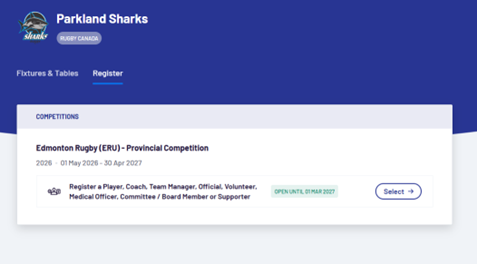
Step 3: Start Registration
- Click “Select” to continue
- Create a PlayHQ account (or log in if you already have one)
- Choose the user/player you are registering
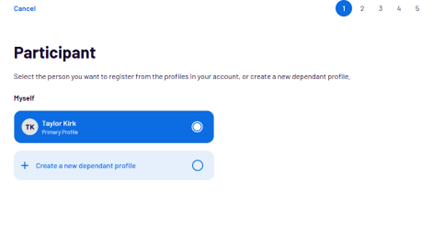
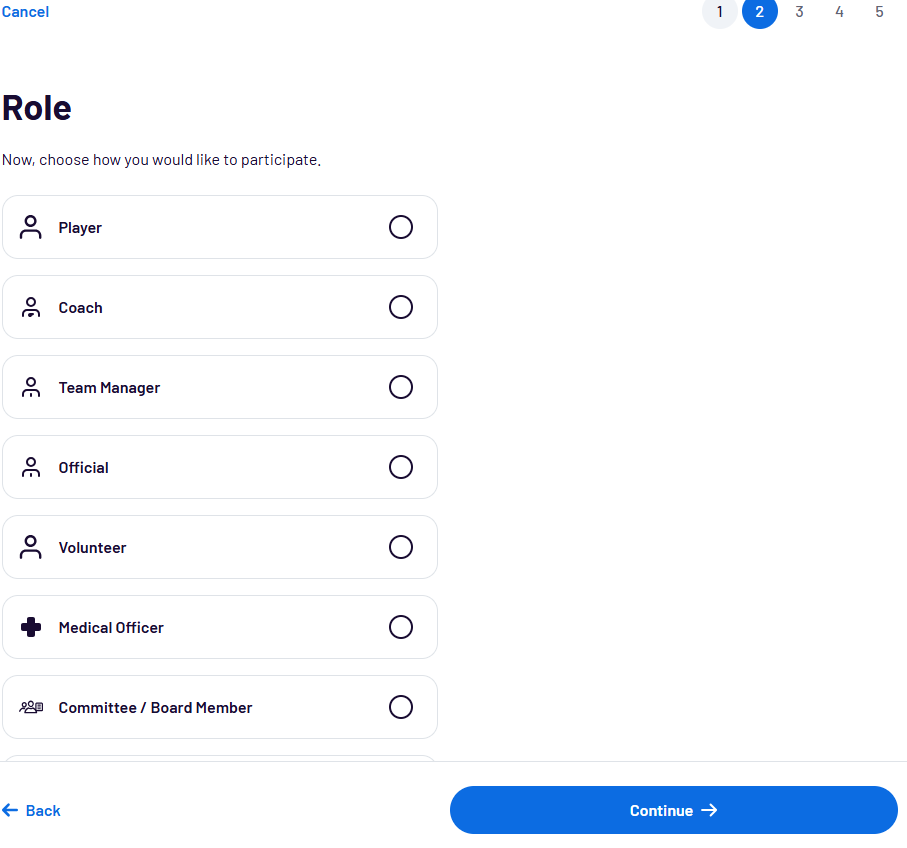
Step 4: Choose the Correct Category
- Select the appropriate age group or division
- Please note: only ONE category can be selected at a time
Step 5: Complete Registration Details
- Fill in all required fields
Required World Rugby Certifications
All players must have both certifications completed and valid:
- Rugby Ready (Online)
👉 https://passport.world.rugby/injury-prevention-and-risk-management/rugby-ready - Concussion Management for the General Public (Online)
👉 https://passport.world.rugby/player-welfare-medical/concussion-management-for-the-general-public/
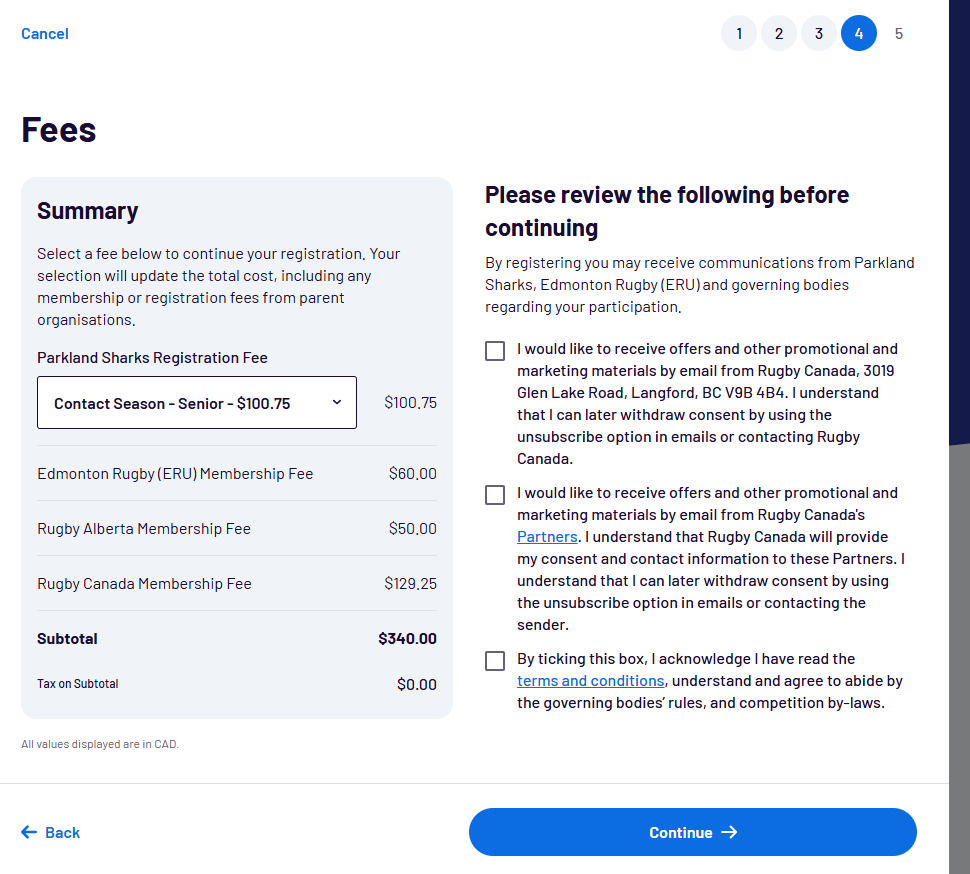
Step 6: Review & Submit
- Double-check all information for accuracy
- Submit your registration to complete the process